> ## Documentation Index
> Fetch the complete documentation index at: https://help.sonto.app/llms.txt
> Use this file to discover all available pages before exploring further.
# Auto-schedule
> Let Sonto find an opening on your calendar for a task
Auto-scheduling places a task on your [calendar](/reference/calendar) for you, finding a free slot that
respects your working hours and the commitments you already have.
## Find time on a calendar
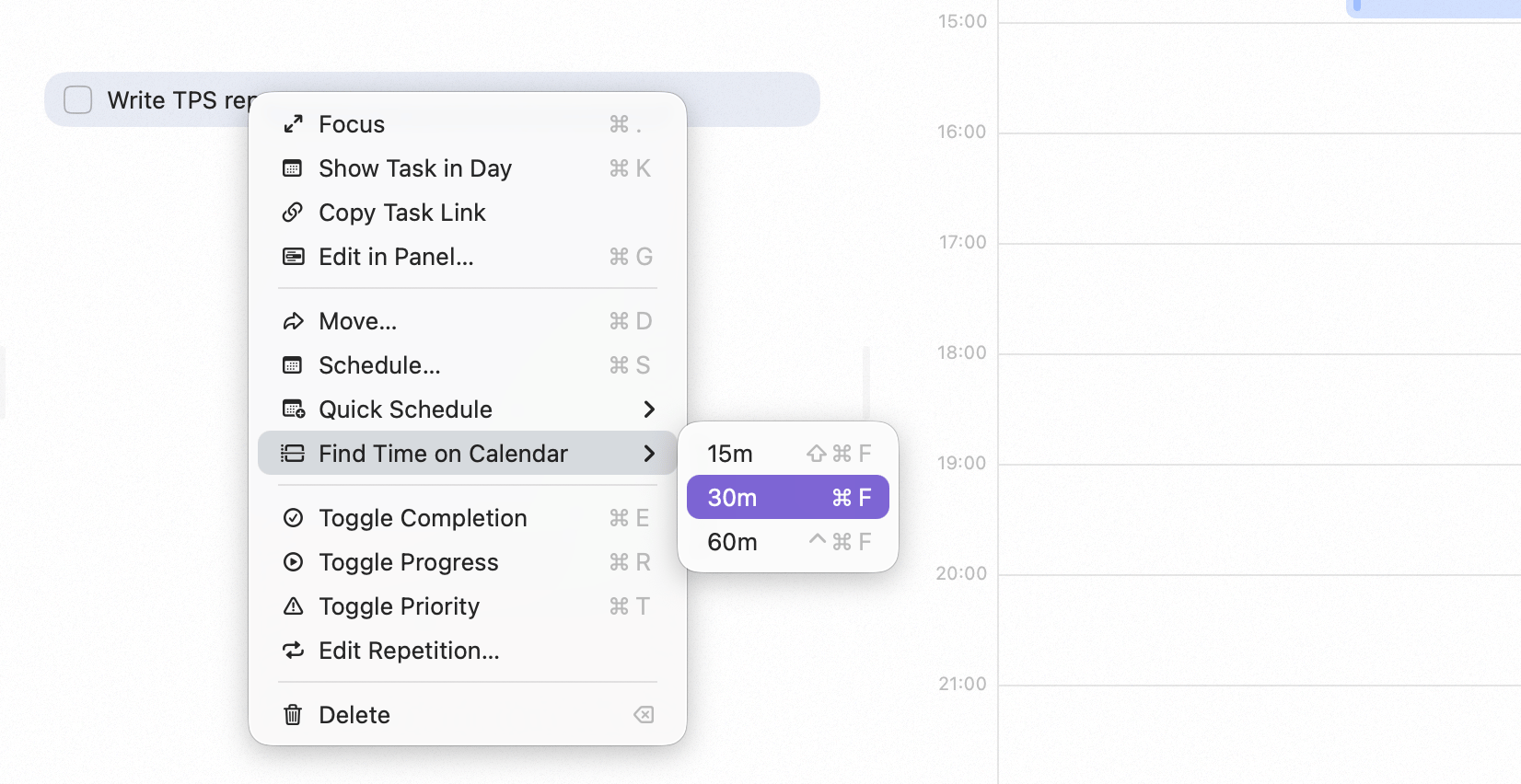
Select a task and press Cmd + F, or right-click it and choose **Find time on
calendar**. Sonto looks at your calendar, skips over existing events, stays inside your working hours,
and creates a time block in the first opening that fits. The event is linked to the task, just like
dragging a task onto the calendar yourself. The block uses your **default event duration** — 30 minutes
unless you change it.
 ## Working hours
Auto-scheduling only places tasks within your **working hours**, so it never books your evenings or
weekends unless you tell it to. Set your working hours and default event duration in
**Settings → Calendar**. See [Settings](/reference/settings).
## Used by repeating tasks
[Repeating tasks](/reference/repeating-tasks) can auto-schedule each occurrence, finding a fresh opening
every time instead of using a fixed time.
## Availability
Auto-scheduling (Cmd + F) is a **Mac** feature.
## Related
Events and time blocks in Sonto.
Set your working hours.
## Working hours
Auto-scheduling only places tasks within your **working hours**, so it never books your evenings or
weekends unless you tell it to. Set your working hours and default event duration in
**Settings → Calendar**. See [Settings](/reference/settings).
## Used by repeating tasks
[Repeating tasks](/reference/repeating-tasks) can auto-schedule each occurrence, finding a fresh opening
every time instead of using a fixed time.
## Availability
Auto-scheduling (Cmd + F) is a **Mac** feature.
## Related
Events and time blocks in Sonto.
Set your working hours.