> ## Documentation Index
> Fetch the complete documentation index at: https://help.sonto.app/llms.txt
> Use this file to discover all available pages before exploring further.
# Share Extension
> Share to Sonto from other apps
Sonto includes a *share extension* that allows you to share **to** Sonto from other apps on Mac and iOS.
## Sharing to Sonto on the Mac
### Enabling the extension
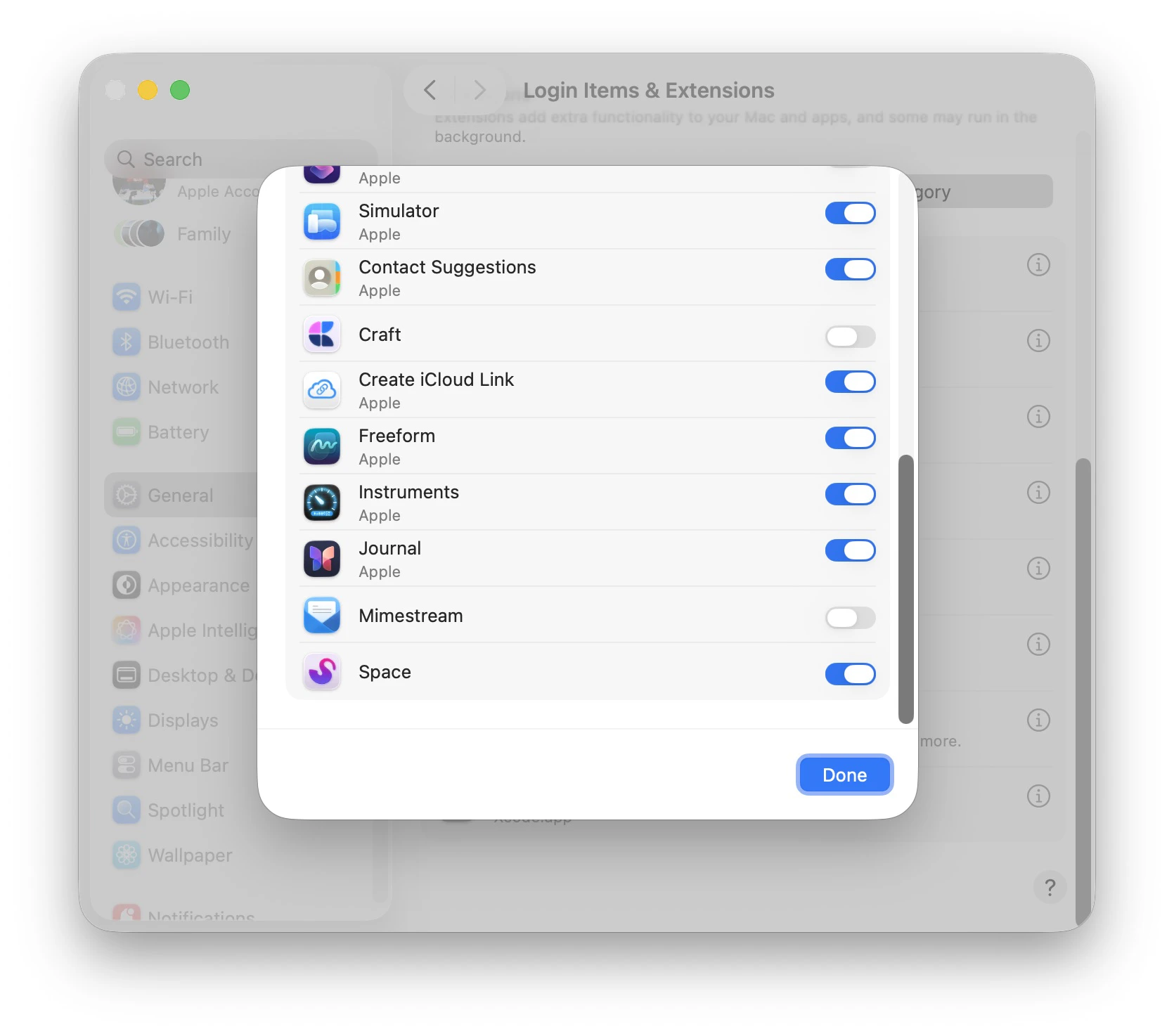
On Mac, you have to manually enable the Share Extension before you can use it. Open `System Settings` > `General` > `Login Items & Extensions`.
Scroll down to `Extensions` and click `By Category`. Then click on the next to `Sharing`.
In the list, find Sonto and toggle it on.
 ### Using the extension
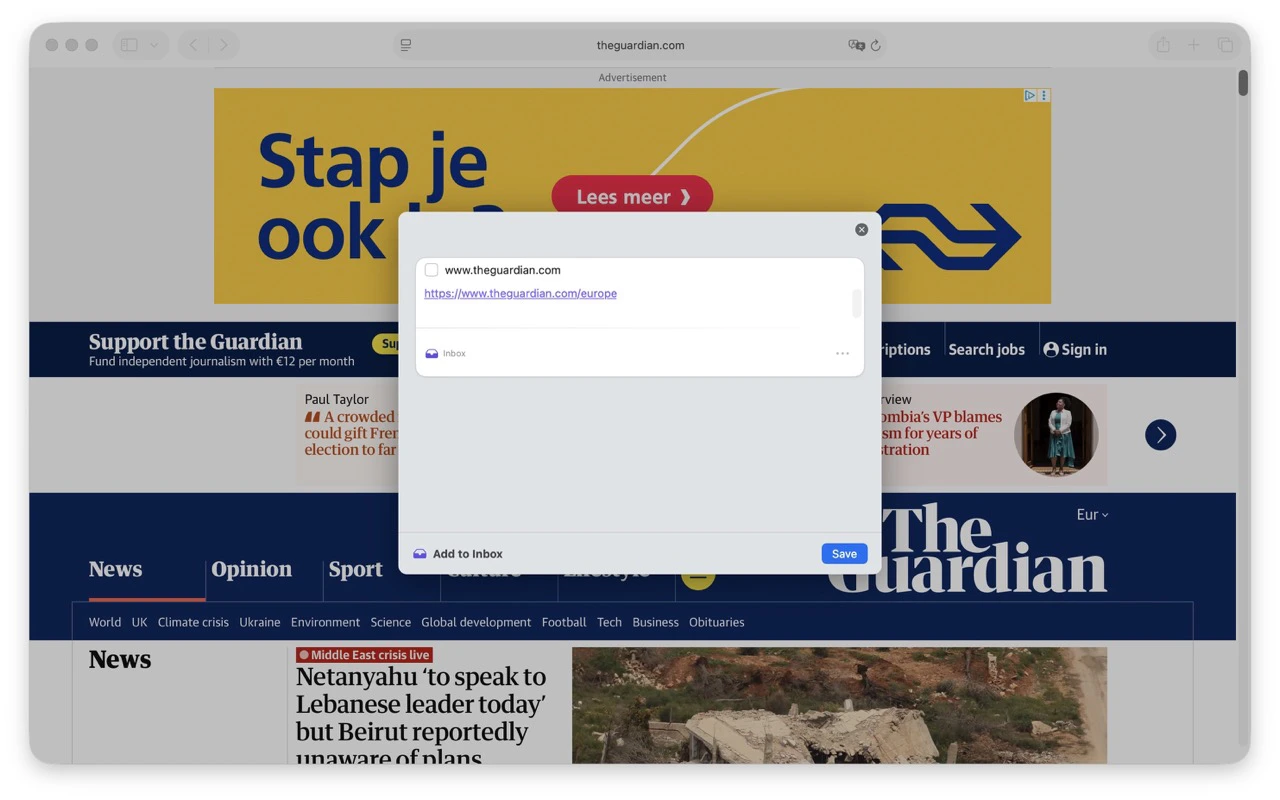
In any app that supports Share Extensions, open the Share menu and click Sonto.
### Using the extension
In any app that supports Share Extensions, open the Share menu and click Sonto.
 You'll then see a popup allowing you to edit how Sonto will save the task.
 ## Sharing to Sonto on iOS
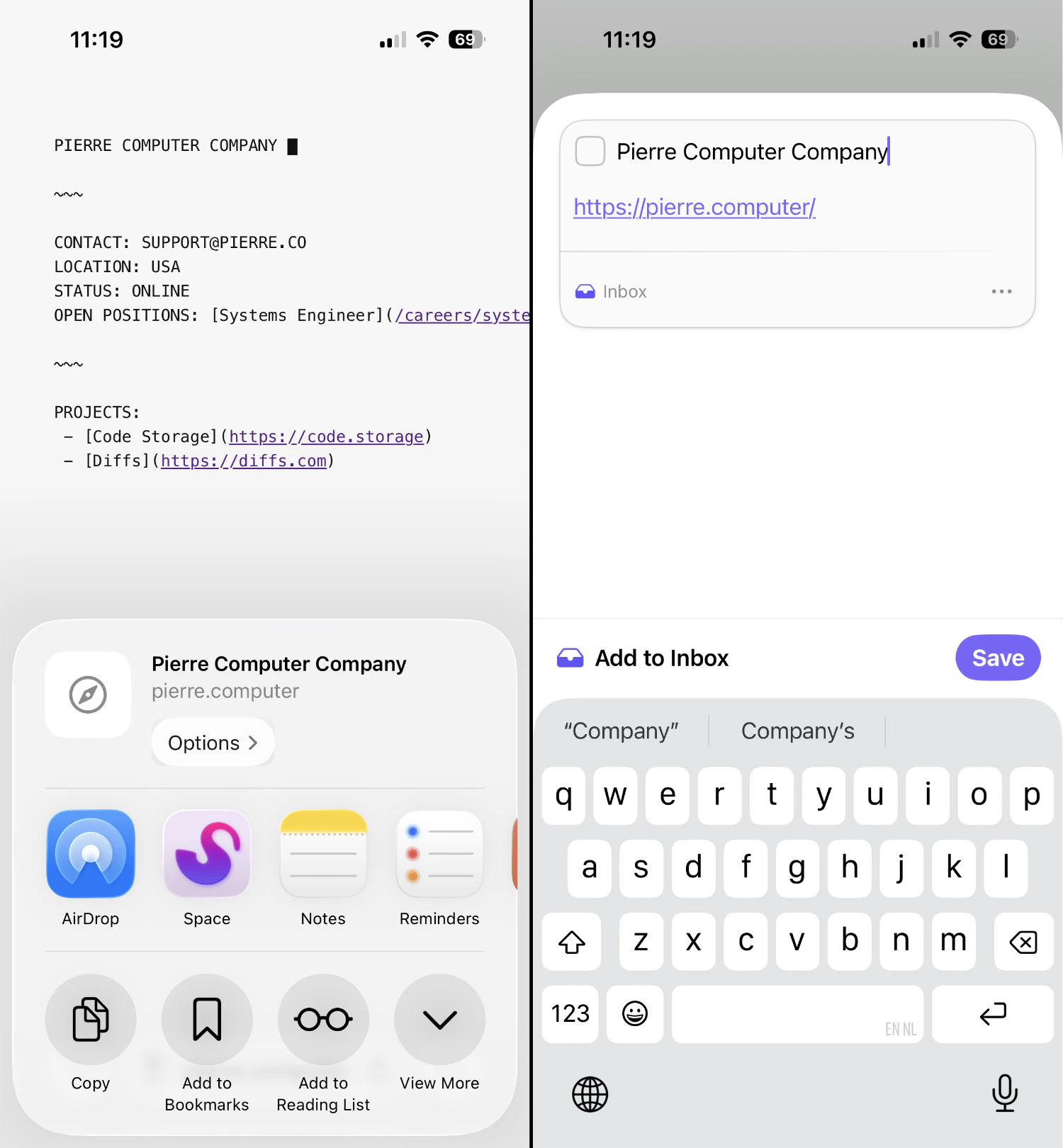
On iOS things are a little easier since we don't need to enable the extension; it is always on. Just open an app that supports sharing, tap the share icon, and find Sonto in the list of apps.
When Sonto is not shown immediately, tap `More` and look for Sonto in the resulting list.
## Sharing to Sonto on iOS
On iOS things are a little easier since we don't need to enable the extension; it is always on. Just open an app that supports sharing, tap the share icon, and find Sonto in the list of apps.
When Sonto is not shown immediately, tap `More` and look for Sonto in the resulting list.