

Focus view on Mac
Select a task and choose Focus from the Task menu or the context menu, or press Cmd + .. The task fills the screen so you can give it your full attention. If the task is scheduled on your calendar, Focus shows its time. If it’s scheduled for now, it shows how much time you have remaining.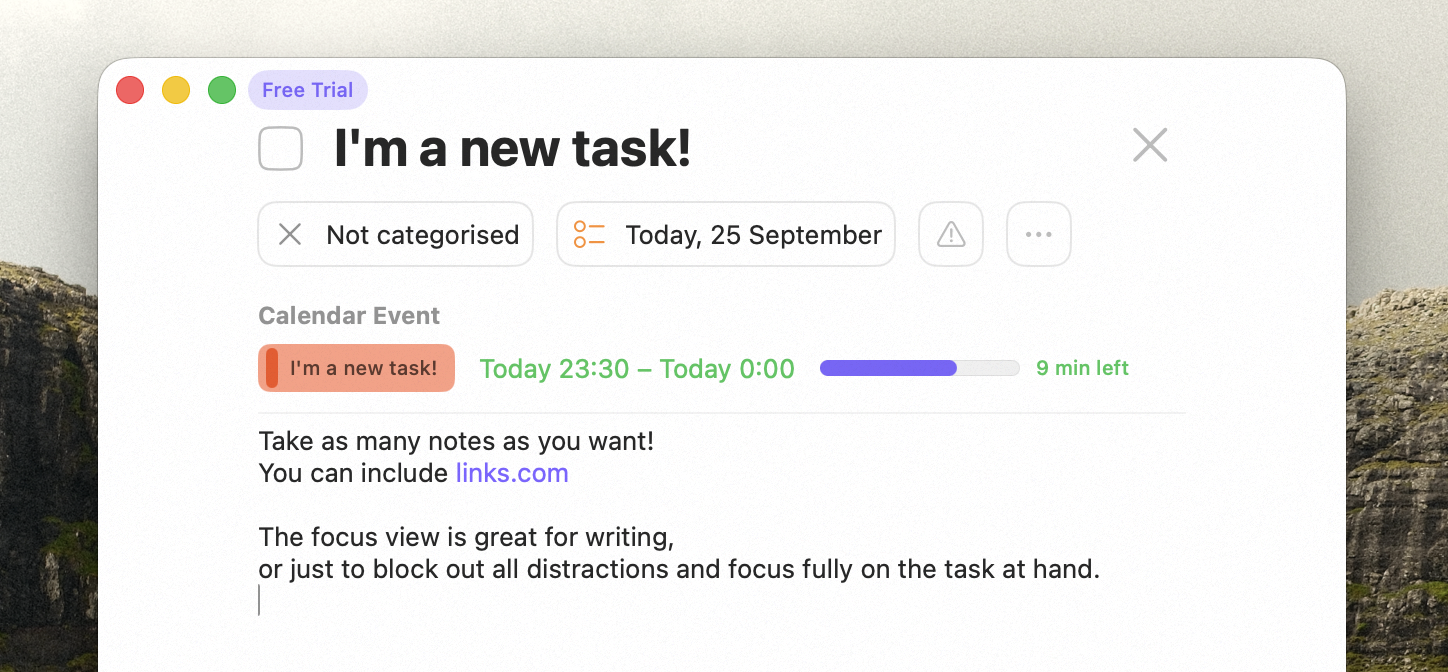
Focus view on Mac
Focus mode on iPhone
iPhone has its own Focus mode — the same idea of zeroing in on one task, distraction-free.Events in focus
Calendar events that support private notes can open in focus too, with your private notes for the event as the main text. Use the expand button in the event’s details. On Mac you can also choose Focus from the event’s menu, or hover over the event and press Cmd + .. An event that’s linked to a task opens that task instead.Availability
Focus is available on Mac (Focus view, Cmd + .), iPhone and iPad (Focus mode).Related
Tasks
Editing and scheduling tasks.
Notes & Checklists
Focus is great for writing notes.
Private Event Notes
Prepare and take notes for a meeting in focus.